How to Configure Firefox to work with Burp Suite
Point Firefox at Burp Suite's proxy on 127.0.0.1:8080 in three steps.

Firefox can be configured/setup in a way that, all the traffic on Firefox can be Proxied through Burp Suite with the following Simple Steps:
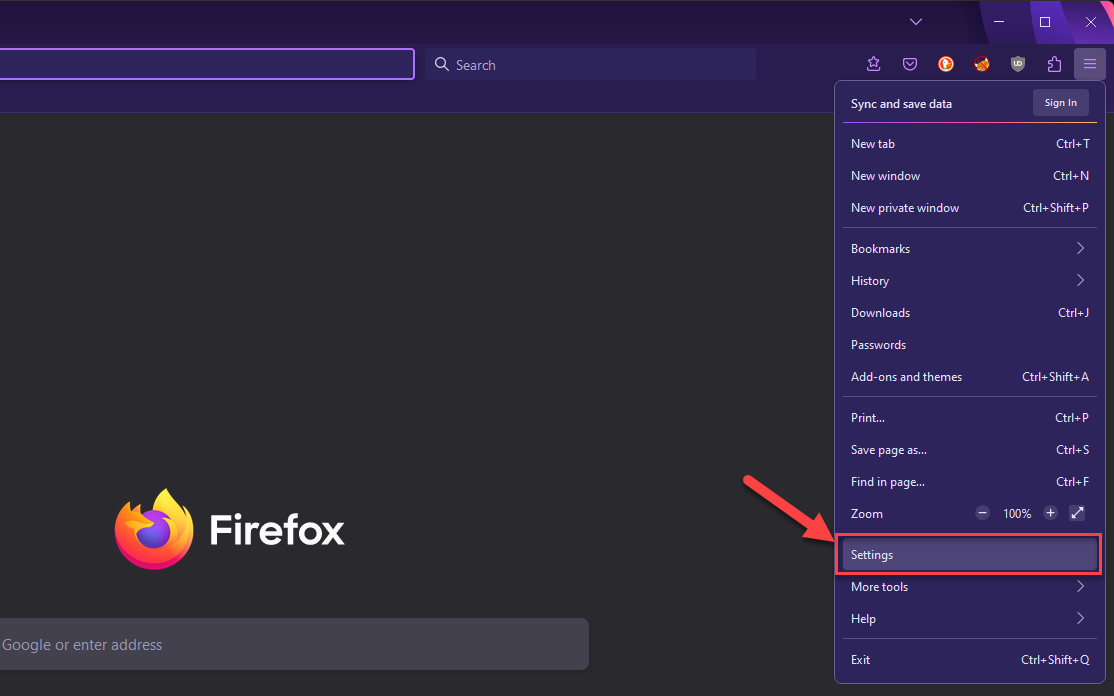
- Open Firefox > Menu > Settings
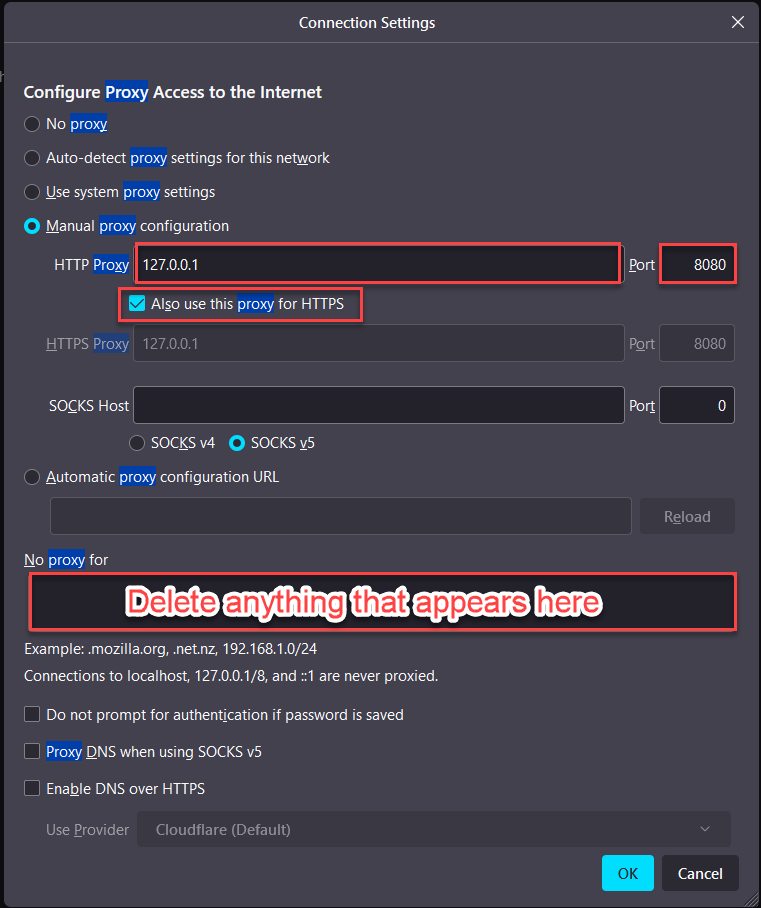
2. Search for: “Proxy” > Network Setting > Click on Settings…Choose “Manual proxy configuration”:
-
- HTTP Proxy: 127.0.0.1 Port: 8080
- Enable: “Also use this proxy for HTTPS”
3. Click on “OK”